Costa Gift Card: How to Check Balance, Use & Add to the App (2026)
A Costa gift card is a convenient way to pay for coffee, hot chocolate, iced drinks, sandwiches, cakes and other items at participating Costa Coffee shops in the UK. You can give one as a birthday present, use one for your own coffee purchases or send a digital eGift to someone by email.
But before using a Costa gift card, you may have a few questions: How do you check your Costa gift card balance? Can you check it online? Where can you buy one? Can you add it to the Costa app? How long does it last, and what should you do if the balance checker or QR code is not working?
This guide explains how Costa gift cards work, where to buy them, how to check your remaining balance, how to use physical and digital cards, and how to resolve common problems.
Important update for 2026: Costa’s official FAQ currently reports that its online gift card service is temporarily unavailable. If you cannot access your balance online or your gift card QR code does not scan, Costa advises visiting a participating store. A barista can manually enter the card number to check the balance or process your purchase.
Costa Gift Card: Quick Overview
| Feature | Details |
|---|---|
| Gift card types | Physical gift cards and digital eGift cards |
| Where to buy | Costa stores, selected supermarkets, retailers and online sellers |
| Online balance checker | Available through Costa’s gift card website when the service is working |
| Current balance-check alternative | Ask a barista at a participating Costa store |
| How to use | Present the physical card or eGift at the till |
| Expiry | Balance expires after 12 consecutive months without a purchase |
| Where accepted | Participating Costa Coffee shops in the UK, excluding Northern Ireland |
| Costa Express | Not accepted |
| Proud to Serve outlets | Not accepted |
| Cash withdrawal | Not available |
| Change | No cash change is given |
| Costa Club Beans | Eligible purchases can earn Beans when you scan your Costa Club card or app |
Always check the latest gift card terms before buying or using a card, as participating outlets and service availability can change.
What Is a Costa Gift Card?
A Costa gift card is a prepaid payment card that allows you to purchase eligible products at participating Costa Coffee shops. Instead of paying with cash or a bank card, you present your gift card at the till, and the purchase amount is deducted from its available balance.
Costa offers two main gift card formats:
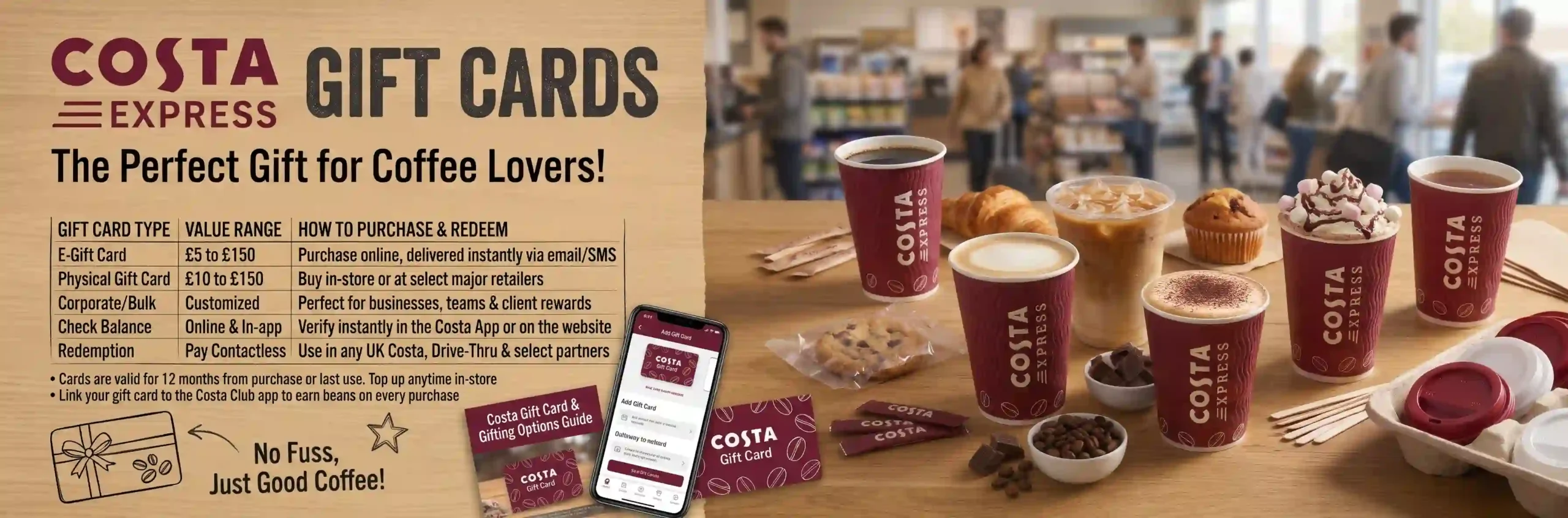
- Physical Costa gift card: A plastic card that you can purchase in selected Costa stores and retailers. It is suitable for giving as a present or carrying in your wallet.
- Costa eGift card: A digital gift card delivered electronically, usually by email. The recipient can show the gift card details or QR code at the till.
Both formats provide a convenient way to pay for eligible Costa purchases, subject to the card’s terms and participating-store restrictions.
Costa Gift Card Balance Checker: How to Check Your Balance
If you have received a Costa gift card, checking its remaining balance helps you know how much you can spend on your next visit.
Costa’s gift card terms provide for checking the balance online through its gifting website or at a participating Costa outlet. However, Costa currently reports that its online gift card service is temporarily unavailable.
1. Check Your Costa Gift Card Balance Online
When Costa’s online gift card service is available, you can use its official balance-check facility.
Follow these steps:
- Visit the official Costa Gift Card website.
- Open the gift card balance-check option.
- Enter the requested gift card details.
- Follow the on-screen instructions.
- View the remaining balance if the service successfully processes your request.
Current service warning: Costa’s FAQ currently says its gift card website is temporarily unavailable. If the online balance checker does not load or cannot retrieve your balance, use the in-store method below rather than repeatedly submitting your details.
2. Check Your Costa Gift Card Balance in Store
This is Costa’s recommended alternative while its online gift card service is unavailable.
- Visit a participating Costa Coffee shop.
- Take your physical gift card or digital eGift details with you.
- Show the card to a barista.
- Provide the gift card number printed on the card or displayed in your eGift.
- Ask the barista to check the remaining balance.
Costa confirms that its baristas can manually enter the gift card number to access the balance or process a purchase.
3. Check Your eGift Card Balance
If someone sent you a Costa eGift, look for the original gift card email.
You may find:
- The digital gift card.
- Its card number.
- The QR code.
- The gift card value.
- The sender’s message.
Keep the original email until you have spent the full balance. If the online service is unavailable or the QR code fails, show the email and card number to a barista at a participating store.
Costa Gift Card Balance Check Online: Official Link
For customers searching for a Costa gift card balance checker, the official Costa gifting website is the appropriate starting point.
Official websites:
- Costa Gift Card Website
- Costa Customer FAQs
- Costa Customer Contact Form
Use Costa’s own website rather than entering your gift card number into an unfamiliar balance-checking website.
If the official website is temporarily unavailable, check your balance in store. Costa’s current FAQ specifically confirms that baristas can manually enter the number printed on the gift card.
Costa Gift Card Balance Not Working: How to Fix It
Sometimes the Costa gift card balance checker may not work, a QR code may fail to scan, or the website may not recognise your card details.
The first thing to establish is whether the issue is with Costa’s online service or with your individual gift card.
| Problem | What you can do |
|---|---|
| Balance checker does not open | Check Costa’s official FAQ for service updates |
| Gift card number is not accepted | Check the number carefully against the physical card or original eGift |
| QR code does not scan | Ask a barista to enter the number manually |
| Balance is not displayed | Visit a participating Costa store and request an in-store balance check |
| eGift has not arrived | Check your spam and junk folders and keep your order confirmation |
| Gift card shows an unexpected balance | Ask Costa Customer Services to investigate and provide purchase evidence |
| Card is damaged | Contact Costa Customer Services with the card number and proof of purchase |
Why Is the Costa Gift Card Balance Checker Not Working?
There are several possible reasons:
1. Costa’s online gift card service is temporarily unavailable
This is an important current issue. Costa has published a notice saying its gift card website is temporarily unavailable while it works with its service provider to restore the service.
2. Incorrect gift card number
Check that you have entered the complete number shown on the back of the physical card or in your eGift email. Avoid confusing similar-looking numbers.
3. QR code problem
A damaged screen, printed card or image can prevent the QR code from scanning. Costa says the barista can manually enter the number below the QR code.
4. Card has expired
Costa’s gift card balance expires after 12 consecutive months without a purchase. If the card has expired, Costa’s contact information explains that the expired balance cannot be renewed.
5. Card or transaction issue
If the number is correct but the balance still cannot be accessed, contact Costa with your proof of purchase and card details.
What If My Costa Gift Card QR Code Is Not Working?
You do not necessarily need a new gift card if its QR code will not scan.
Costa’s official guidance says you can still use the gift card in store by providing the number printed below the QR code. The barista can type the number manually to access the balance or complete your purchase.
Keep your original eGift email or physical card until the issue is resolved.
Where to Buy a Costa Gift Card
You can buy a Costa gift card from several places in the UK, including Costa stores and selected retailers.
According to Costa’s official FAQ, physical gift cards are available directly from participating Costa stores and major retailers. Digital and physical gift cards are also available through selected online retailers.
| Retailer or location | Gift card availability |
|---|---|
| Costa Coffee stores | Physical gift cards |
| Argos | Physical gift cards |
| Tesco | Physical and digital gift cards |
| Sainsbury’s | Physical gift cards |
| Asda | Physical and digital gift cards |
| Morrisons | Physical and digital gift cards |
| Amazon UK | Physical and digital gift cards |
| Currys | Digital gift cards |
Availability can vary by retailer, store and time. Check the seller’s current listing before travelling or placing an order.
Can You Buy Costa Gift Cards in Store?
Yes. Costa confirms that you can purchase physical gift cards directly from its stores.
You can also find Costa gift cards at selected supermarkets and retailers.
To buy one in a Costa shop:
- Visit a participating Costa Coffee store.
- Ask a team member whether gift cards are available.
- Choose the available gift card design and value.
- Pay at the till.
- Keep your receipt until you have confirmed the card is working.
If you are purchasing a gift card from a supermarket, check the activation instructions and retain the receipt.
Can You Buy a Costa Gift Card Online?
Yes, Costa provides an online gifting service for physical and digital gift cards.
However, Costa currently reports that its online gift card service is temporarily unavailable. Its FAQ also warns that online gift card deliveries are delayed while the provider works to restore the service.
Before placing an online order, check the official Costa gifting website for the latest availability.
You can also check selected retailers such as Amazon UK and supermarket websites for their current Costa gift card listings.
How Much Can You Put on a Costa Gift Card?
The amount you can purchase depends on the gift card type and the retailer selling it.
Costa’s published online gift card terms state that the maximum value of gift cards purchased through its online gifting site in one order is £75. The terms also state that the maximum value of gift cards that can be uploaded at one time is £75.
Third-party retailers may offer different denominations and purchase options. Always check the value displayed at checkout rather than assuming every seller offers the same amounts.
How to Activate a Costa Gift Card
If you have purchased a Costa gift card, you may wonder whether you need to activate it before using it.
For a gift card purchased from a retailer, follow the activation instructions provided by the seller and check your purchase receipt. Some retail gift cards require the retailer to activate them at checkout.
For a card purchased directly through Costa’s gifting service, follow the instructions supplied with the card or eGift confirmation.
How to Check Whether Your Costa Gift Card Is Activated
Try the following:
- Keep your purchase receipt or order confirmation.
- Check whether the card was successfully processed at checkout.
- Look for any activation instructions on the packaging or confirmation email.
- Ask a barista at a participating Costa store to check the card number.
- If the card does not work, contact the retailer or Costa, depending on where you purchased it.
If you bought the card from a supermarket or third-party retailer and it was not activated correctly, the original retailer may need to investigate the transaction.
Important: Do not throw away your receipt until you have confirmed that the gift card can be used.
How to Add a Costa Gift Card to the App
One common question is whether you can add a Costa gift card to the Costa Coffee app and use it to pay for drinks.
It is important to understand that a Costa gift card and a Costa Club card are different products.
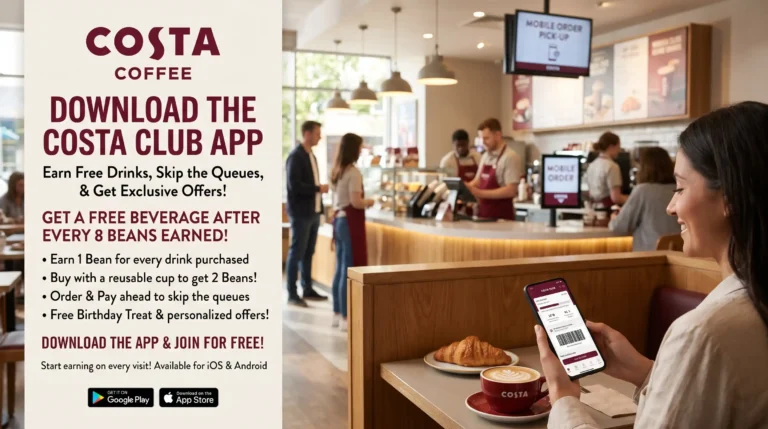
The Costa Club app is primarily used to collect Beans, access rewards and use eligible app features. A Costa gift card is a separate prepaid payment method.
Costa’s published gift card terms explain how gift cards are redeemed at participating outlets, while its app guidance describes Costa Club membership and rewards. The available official guidance does not establish a method for adding a gift card as an in-app payment method.
Can You Add a Costa Gift Card to the Costa Club App?
Do not assume you can upload your gift card balance to the Costa Club app.
Instead, use your physical gift card or eGift at a participating store’s till.
You can still use your Costa Club app separately when making an eligible purchase to collect Beans.
Can You Add a Costa Club Card to Apple Wallet or Google Pay?
Yes. Costa’s FAQ explains that registered Costa Club members can add their Costa Club card to Apple Wallet on iPhone or Google Pay on Android.
However, this is for the Costa Club card, not confirmation that a prepaid Costa gift card can be added as an app payment method.
How to Use a Costa Gift Card
Using a Costa gift card at a participating shop is straightforward.
Using a Physical Costa Gift Card
- Visit a participating Costa Coffee shop.
- Choose your drinks, food or other eligible products.
- Present your physical gift card at the till.
- Ask the barista to deduct the purchase amount from your card.
- Pay any remaining amount using another accepted payment method if necessary.
Using a Costa eGift Card
- Open the email containing your Costa eGift.
- Find the digital gift card and QR code.
- Show it to the barista at the till.
- Let the barista scan the code.
- If scanning fails, provide the gift card number for manual entry.
Can You Use More Than One Costa Gift Card?
Yes. Costa’s gift card terms allow customers to use more than one gift card for a single order, up to a maximum of five gift cards.
This can be useful if you have received several smaller gift cards and want to use them together.
What If My Costa Gift Card Does Not Cover the Full Bill?
You can pay the remaining amount using another accepted payment method.
For example, if your purchase costs £12 and your gift card has £8 remaining, you can use the £8 balance and pay the outstanding £4 separately.
Can You Get Cash Back From a Costa Gift Card?
No. Costa’s terms state that gift cards cannot be exchanged or redeemed for cash.
If your purchase costs less than the available balance, the remaining amount stays on the gift card for a future eligible purchase. Costa does not give cash change.
How Long Does a Costa Gift Card Last?
A Costa gift card does not have an unlimited balance-validity period.
According to Costa’s published gift card terms, the card and its remaining balance expire if the card is not used to make a purchase for 12 consecutive months.
This means the expiry period is based on inactivity rather than simply counting 12 months from the day you first received the card.
Does a Costa Gift Card Expire After 12 Months?
The balance expires after 12 consecutive months without a purchase.
For example:
- You use your gift card on 10 January.
- You make another purchase using it before 12 consecutive months have passed.
- The new purchase resets the inactivity period.
- If you make no purchase for 12 consecutive months, the remaining balance expires under Costa’s terms.
Keep track of your last purchase and check your balance regularly so you do not lose unused funds.
Can You Renew an Expired Costa Gift Card?
Costa’s customer contact information states that once a gift card has expired, the balance cannot be renewed.
For this reason, it is best to use your gift card before the 12-month inactivity period ends.
Where Can You Use a Costa Gift Card?
Costa gift cards can be used at participating Costa Coffee shop outlets in the UK, subject to the terms and exclusions.
However, not every location that serves Costa coffee accepts Costa gift cards.
Can You Use a Costa Gift Card at Costa Express?
No. Costa’s gift card terms exclude Costa Express machines.
A gift card intended for use at participating Costa Coffee shops should not be assumed to work at a self-service Costa Express machine.
Can You Use a Costa Gift Card at Proud to Serve Locations?
No. Costa’s published gift card terms also exclude Proud to Serve outlets.
These locations may serve Costa-branded coffee, but they are not necessarily participating Costa gift card redemption locations.
Can You Use a Costa Gift Card in Northern Ireland?
Costa’s standard gift card terms exclude Northern Ireland. Customers in Northern Ireland should use the relevant gift card option and terms provided for that market.
Can You Use a Costa Gift Card Outside the UK?
Costa’s UK gift card terms cover participating UK outlets, excluding Northern Ireland, and do not establish international redemption rights.
Do not assume that a UK Costa gift card can be used at Costa locations overseas. Check the relevant local terms before travelling.
Can You Collect Costa Club Beans When Paying With a Gift Card?
Yes. Costa’s gift card terms explain that purchases made with gift cards at participating Costa outlets can qualify for Costa Club Beans when you are a registered member and follow the normal scanning process.
To collect Beans:
- Open your Costa Club app or take your registered Costa Club card.
- Ask the barista to scan it during your purchase.
- Pay using your Costa gift card.
- Your eligible Beans should be credited according to the Costa Club rules.
There is an important distinction: buying a Costa gift card does not earn Costa Club Beans. The eligible purchase made using the gift card can earn Beans when the normal membership conditions are met.
What to Do If Your Costa Gift Card Is Lost or Stolen
Treat your Costa gift card like cash. Costa’s terms state that the company is not responsible for lost or stolen cards.
If your gift card is lost, stolen or used without your permission:
- Contact Costa Customer Services using its official contact form.
- Provide the gift card number if you have it.
- Keep your purchase receipt or order confirmation.
- Explain when you noticed the card was missing or used without permission.
- Ask whether a replacement can be considered.
Costa’s terms say it may, at its discretion, issue a replacement card credited with the unused balance. It may require the gift card number and proof of purchase.
A replacement is not guaranteed, so keep your card details and receipt safe.
Costa Gift Card Customer Service
If your gift card is not working, you cannot check its balance, or you have not received an online order, use Costa’s official customer support channels.
| Issue | Recommended action |
|---|---|
| Balance checker unavailable | Visit a participating Costa store |
| QR code not scanning | Ask a barista to enter the gift card number |
| Online eGift not received | Check spam and junk folders, then contact Costa |
| Gift card lost or stolen | Contact Costa Customer Services |
| Incorrect balance | Provide the card number and proof of purchase |
| Expired gift card | Check Costa’s terms; expired balances cannot be renewed |
Official support links:
When contacting Costa about an online gift card order, include the order number and relevant purchase details. Never send your full payment card details or account password.
Frequently Asked Questions About Costa Gift Cards
How do I check my Costa gift card balance?
You can check your balance through Costa’s official gift card website when the online service is available. You can also visit a participating Costa store and ask a barista to enter the gift card number manually.
Is there a Costa gift card balance checker?
Yes. Costa provides an official online gift card balance-checking facility through its gifting website. However, Costa currently reports that the online gift card service is temporarily unavailable. In-store balance checks are the recommended alternative.
Can I check my Costa gift card balance online?
You can normally use Costa’s online gifting website to check a gift card balance. If the service is unavailable, visit a participating Costa store and ask a barista to check the number printed on your card.
What number do I need to check my Costa gift card balance?
You need the gift card number printed on the back of your physical card or shown in your eGift email. Costa’s online top-up page specifies a 20- or 21-digit gift card number, but follow the instructions on the relevant official page for the service you are using.
Why is my Costa gift card balance not working?
The online gift card service may be temporarily unavailable, or there may be an issue with the card number, QR code or gift card itself. Costa currently advises customers to visit a participating store, where a barista can manually enter the card number.
Can a Costa barista check my gift card balance?
Yes. Costa confirms that baristas can manually enter the number on your gift card to access the balance or process your purchase.
Where can I buy a Costa gift card?
You can purchase physical Costa gift cards from Costa stores and selected retailers, including Argos, Tesco, Sainsbury’s, Asda and Morrisons. Amazon UK offers physical and digital options, while Tesco, Asda, Morrisons and Currys are listed for digital gift cards.
Can you buy Costa gift cards in store?
Yes. Costa confirms that physical gift cards can be purchased directly from its stores, subject to availability.
Can I buy a Costa gift card online?
Yes, Costa offers an online gifting service. However, its official FAQ currently reports that the service is temporarily unavailable and online deliveries are delayed. Check the official gifting website for updated service information.
How do I activate a Costa gift card?
Follow the activation instructions supplied by the retailer or Costa when purchasing the card. If you bought it from a third-party retailer, keep your receipt and ask that retailer to investigate if the card was not activated correctly.
How do I add a Costa gift card to the app?
Costa’s gift card and Costa Club systems are separate. Its official guidance does not establish that a gift card balance can be added as an in-app payment method. Use the physical card or eGift at a participating store’s till.
Can I use my Costa gift card with the Costa Club app?
Yes, you can use your gift card to pay for an eligible purchase and scan your Costa Club app separately to collect eligible Beans. This does not mean the gift card itself has been added to the app.
How long does a Costa gift card last?
A Costa gift card and its remaining balance expire after 12 consecutive months without a purchase. Making a purchase before that period ends resets the inactivity period.
Can I use my Costa gift card more than once?
Yes. The remaining balance can be used for future purchases until it is spent or expires under the inactivity rules.
Can I use two Costa gift cards in one transaction?
Yes. Costa allows up to five gift cards to be used against a single order.
Can I use a Costa gift card at Costa Express?
No. Costa’s published gift card terms exclude Costa Express machines.
Can I use a Costa gift card at Proud to Serve outlets?
No. Proud to Serve outlets are excluded from the standard Costa gift card redemption terms.
Can I use a Costa gift card in Northern Ireland?
Costa’s standard UK gift card terms exclude Northern Ireland. Check the separate local gift card arrangements and terms if you are purchasing or using a card there.
Can I get cash from my Costa gift card?
No. Costa gift cards cannot be exchanged or redeemed for cash. Any unused balance remains on the card for a future eligible purchase.
What happens if my Costa gift card has less money than my order?
You can use the remaining gift card balance and pay the outstanding amount using another accepted payment method.
Can I get a refund on a Costa gift card?
Costa’s standard gift card terms generally exclude gift cards from its refund policy. However, additional cancellation rights apply to certain online gift card purchases. The online terms describe a 14-day cancellation period for eligible unused online gift cards. Check the current terms and contact Costa for your specific purchase.
Can I top up my Costa gift card?
Do not assume that every Costa gift card can be reloaded. Costa’s published terms and online gift card service information should be checked before attempting to add more funds. The top-up facility and terms may differ depending on the card and service.
Final Thoughts on Costa Gift Cards
A Costa gift card is a practical way to pay for coffee and food at participating Costa Coffee shops in the UK. You can buy physical cards in selected stores and retailers or choose a digital eGift where available.
If you already have a card, the most important things to remember are:
- Check your balance online when Costa’s gifting service is available.
- Visit a participating store if the online checker is unavailable.
- Keep your card number and original purchase receipt.
- Use your gift card at participating Costa shops, not Costa Express or Proud to Serve outlets.
- Remember that the remaining balance expires after 12 consecutive months without a purchase.
- Use your Costa Club app separately if you want to collect eligible Beans.
Because Costa’s online gift card service is currently experiencing an outage, check the official FAQ before relying on online purchasing or balance-checking facilities. For an immediate balance check, asking a Costa barista to enter your card number is the practical alternative.